

How AI Photo Enhancement Works in Remini
Free of Cost
No Watermark
Premium Unlocked
The Wedding Photo That Changed My Understanding of AI Enhancement
I never understood what “AI photo enhancement” actually meant until last summer. My cousin got married outdoors, and the photographer’s memory card corrupted. All we had were guest phone pictures. One shot from my aunt’s old iPhone looked hopeless – faces were soft, the bride’s veil had no detail, and shadows crushed half the frame.
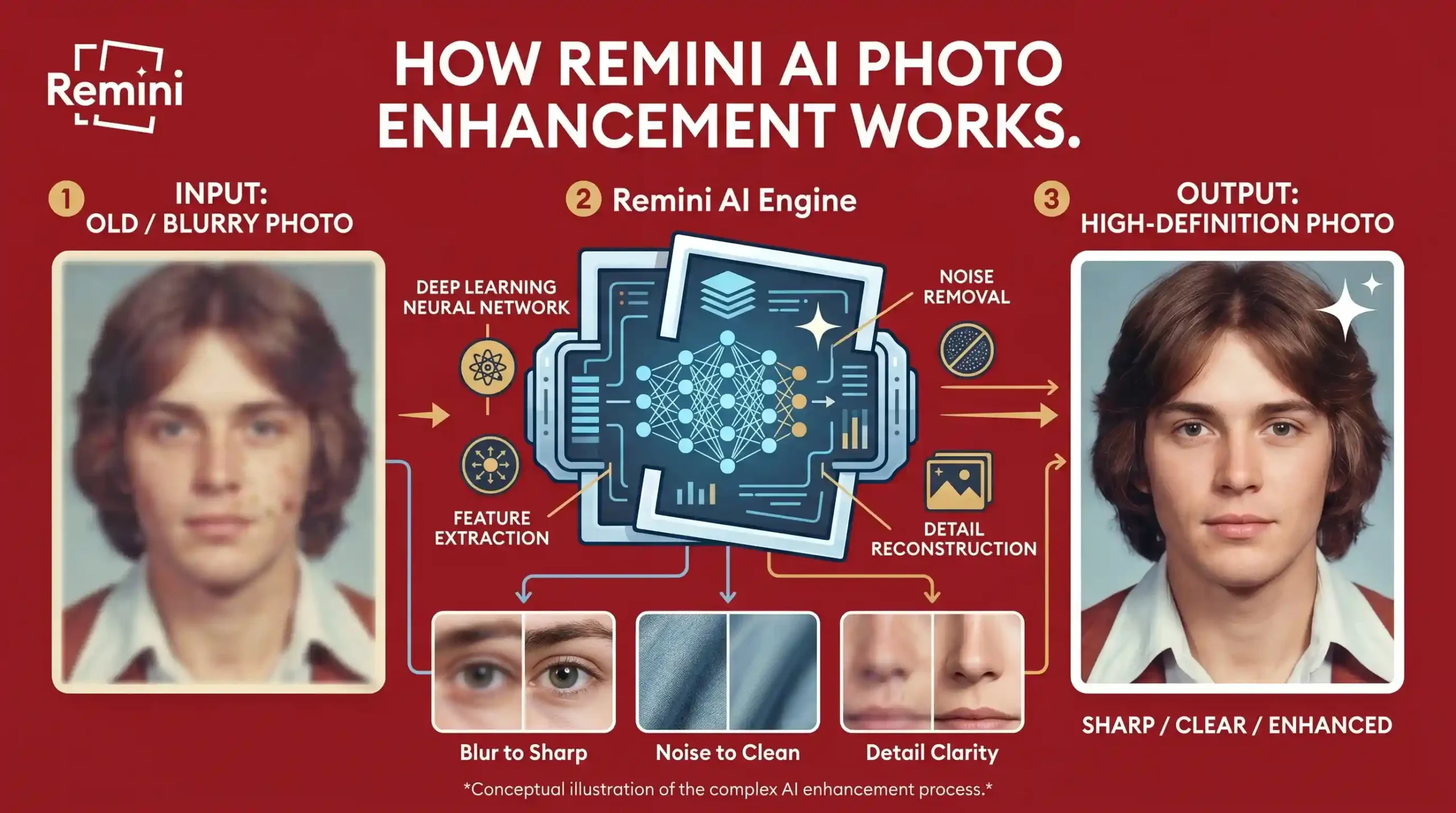
Remini processed that image in about 20 seconds. The veil gained visible wrinkles. Eyes became distinct instead of dark smudges. It wasn’t magic. It was the app rebuilding what its training data said a wedding veil and a human face should look like.
A regular sharpen filter would have made the noise sharper. Remini did something else entirely.
Testing on Three Very Different Events
A few months before the wedding, I tried Remini on a blurry photo from a friend’s birthday party at a bowling alley. Neon lights, motion blur, poor exposure. After enhancement, the glow on faces looked cleaner, but the background pins remained slightly soft. That told me the AI prioritized people over objects.
Then came a travel fail. I took a landscape shot of a temple in Kyoto using digital zoom. The original was pixelated rubble. Remini added texture to roof tiles and smoothed the sky, but invented a window pattern that wasn’t there. I only noticed because I had been standing there.
That experience taught me something most articles skip: AI enhancement guesses. When details are completely missing, the app fills gaps with probable patterns. Sometimes it guesses wrong.
The Real Difference Between Sharpening and Rebuilding
Normal sharpening finds edges and increases contrast along them. Run it five times and you get a grainy mess.
Remini’s approach is closer to what a forensic artist does: look at what remains, then draw what should be there based on thousands of examples. Skin pores. Eyelash curves. Fabric weave.
I proved this to myself with a damaged print from my grandmother’s 80th birthday. The original had a crease running down one cheek. After restoration, the crease was barely visible, but the smile still looked like her – not a generic AI face. That preservation of identity is where the tech succeeds.
Why the Same Photo Can Give Different Results
I ran the same blurry selfie (poor subway lighting) through Remini twice, weeks apart. The first output kept natural skin texture. The second over-smoothed my nose. Same app, same photo, different server load or model version? Remini doesn’t say.
That inconsistency matters if you’re restoring something irreplaceable. My rule now: run it once. If the result feels off, don’t re-run. Second passes often create waxy skin or mismatched eyes.
Upscaling a Concert Photo That I Almost Deleted
I shot a terrible video frame from a basement punk show – extreme low light, motion blur, bass player looked like a ghost. Remini’s upscale increased resolution from 480p equivalent to roughly 1080p-level detail. The amp brand on the head became readable. The drummer’s stick blurred less.
Could I print it? No. Could I post it and have people recognize the band? Yes. That’s the practical bar.
Cloud Processing and a Hard Lesson
Remini processes on its servers, not your phone. I learned this the hard way when I uploaded a photo of my passport for a test (stupid, I know). Nothing bad happened, but the thought of that image sitting on a third-party cloud made me uncomfortable.
Now I only upload photos I’d share on social media anyway. Family candids, travel fails, funny pet blurs. Nothing sensitive.
One Mistake Almost Everyone Makes
People boost “enhancement strength” to maximum and apply it twice. That creates faces that look like polished plastic. I did this to a picture of my dog. The result was terrifying – fur turned into shiny tubes, eyes became glass marbles.
The sweet spot is default settings, one pass, good original lighting. Remini can’t resurrect a photo that has zero detail. It can only rebuild what it can partially see.
Final Thought From Real Use
After two weddings, one birthday, one concert, and a Kyoto temple, here’s what I know: Remini Mod APK works best when you have a bad photo of a moment you actually care about. The AI doesn’t turn garbage into gold. It turns blurry memories into recognizable ones. That’s enough.